


Lesson 7: How to fix the parts that you don't want in your picture (Nevus, Freckle, Beard, Burn etc.)
Getting Started
1) Open Pixlr Express
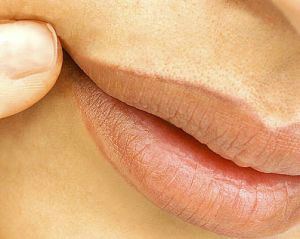
2) Open an image that you want to fix a part of it. I am going to fix a nevus which is quite simple. URL:
http://www.haber34.com/hr/cok-benli-uzun-mu-yasiyor--25577.jpg

Overlap the Nevus
1) Go to the Adjustment Menu which is the first square on the line.

2) Then Click on Touch Up
3) Spots will be selected in the Touch Up Menu, Do not chance it. You can set the brush size according to your image size.

4) Go over the parts that you want to fix.
Post a Comment
This Pixlr tutorial was super helpful! Finally figured out how to clean up those annoying little spots in my pics. The touch-up tool works like magic on freckles. Really straightforward steps, didn't take long at all. Wish fixing other things was this easy – like trying to make LivePhoto from video always gives me a headache! Anyway, thanks for the clear guide! livephoto.video